
The best photos of your year — picked by you, not an algorithm.
Go through a whole year of photos — or any date range — and choose the best ones yourself, into one album in Photos.
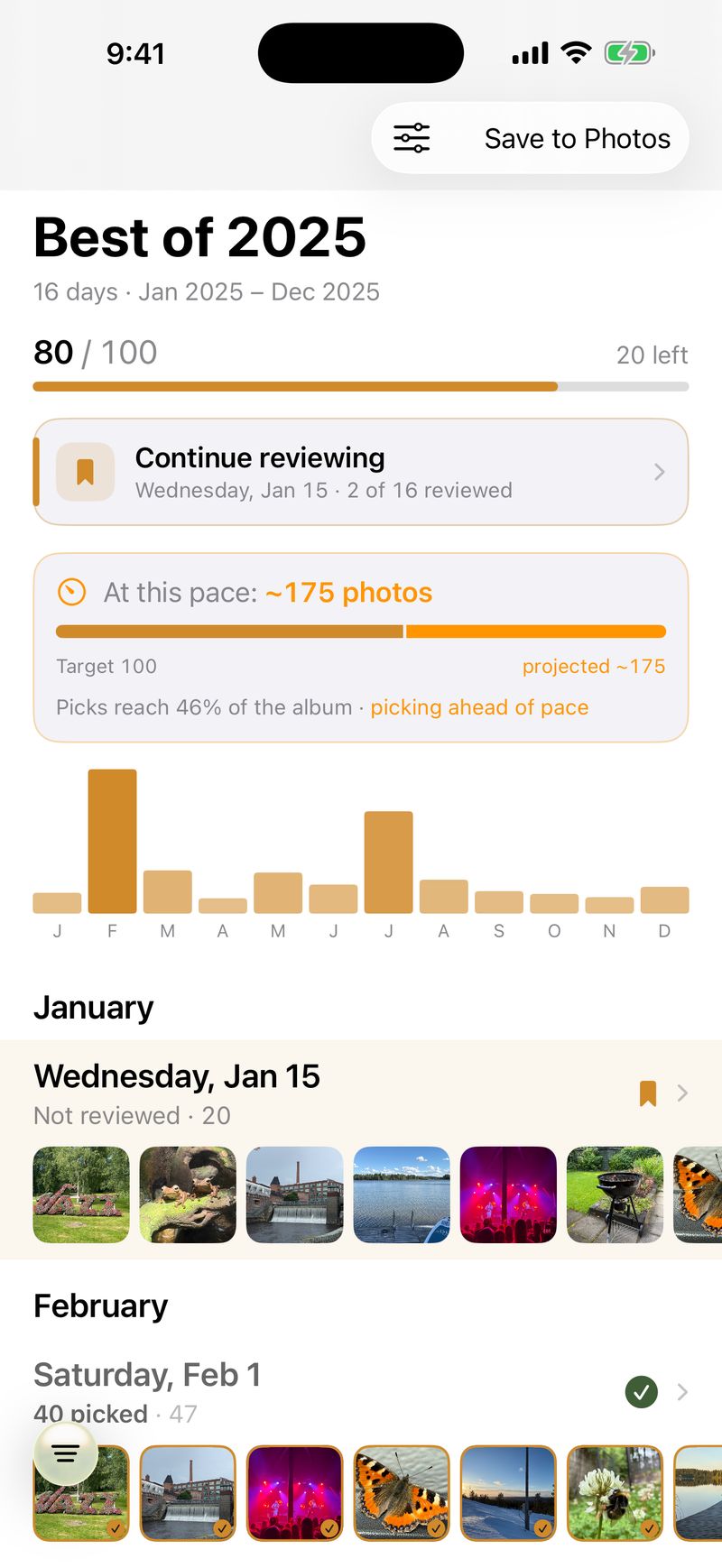
Your best photos are already in there.
A year is thousands of photos, and the best ones are buried in the everyday. Poimi helps you find them and gather them into one album — by hand.
Made for the parent who means to make this year’s family album — and the trip you keep meaning to pull together.
Most photo apps are built for a different job:
Poimi is the opposite — you assemble the best of your year, yourself.
No AI Memories. No auto-generated highlight reel. No photo hidden behind a score. Every photo in the album is one you put there.
Turn a year of photos into one album, in three steps.
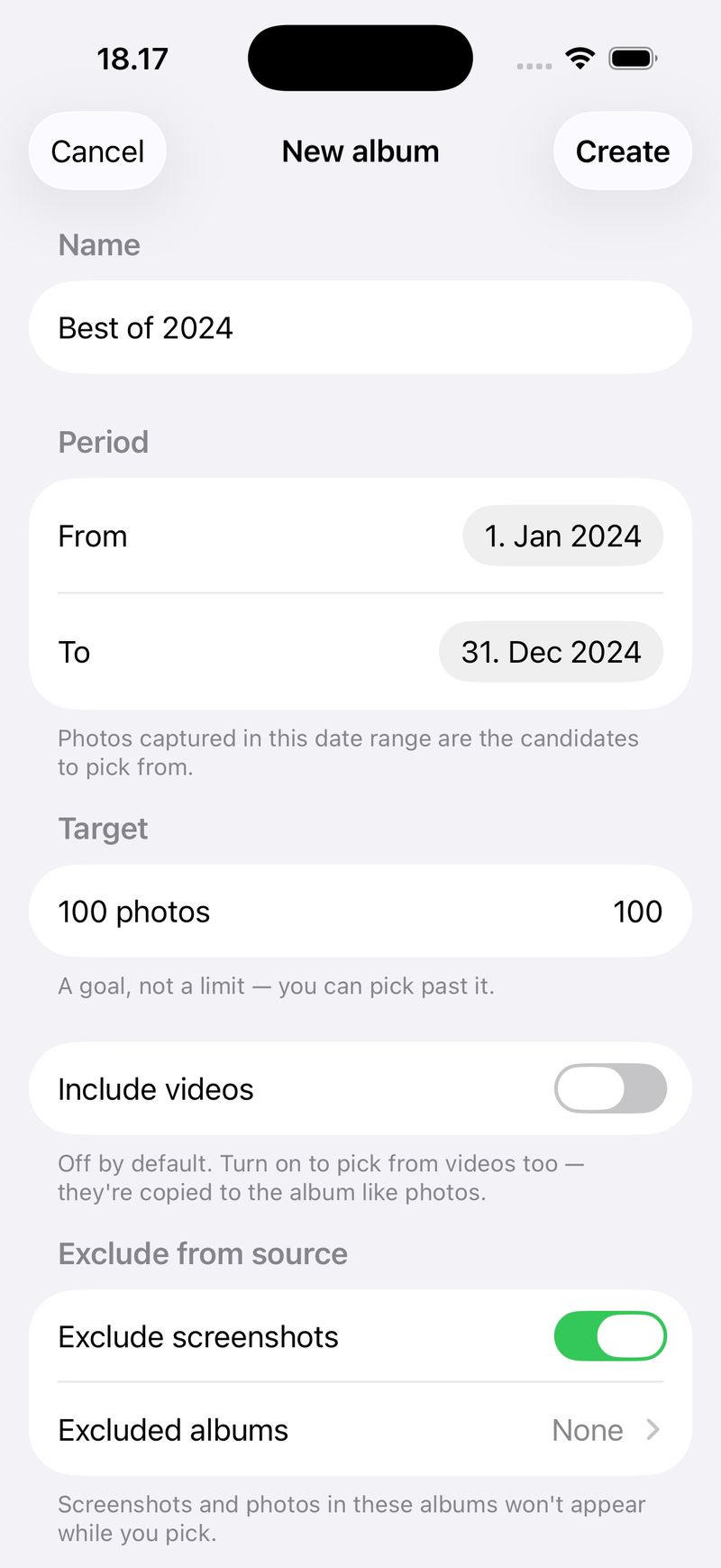
Pick a range
Choose a date range — a whole year, a summer, one trip. Then leave out screenshots and any albums you don’t want in the mix, like WhatsApp saves.
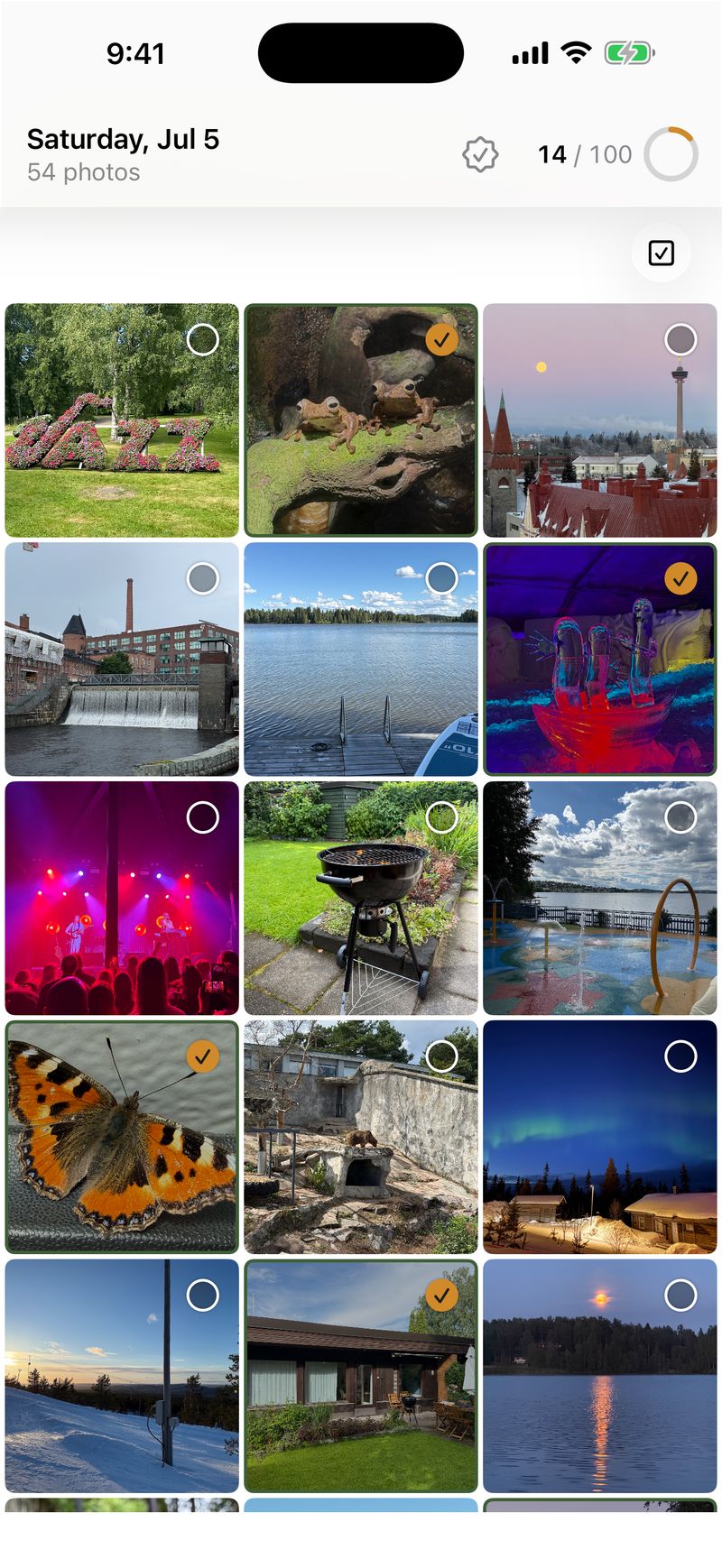
Go through it
Your photos are grouped by day and by trip, so a year breaks into the events it was made of. Tap to pick. A running count tracks you toward your target — and you can mark a day done and pick up right where you left off.
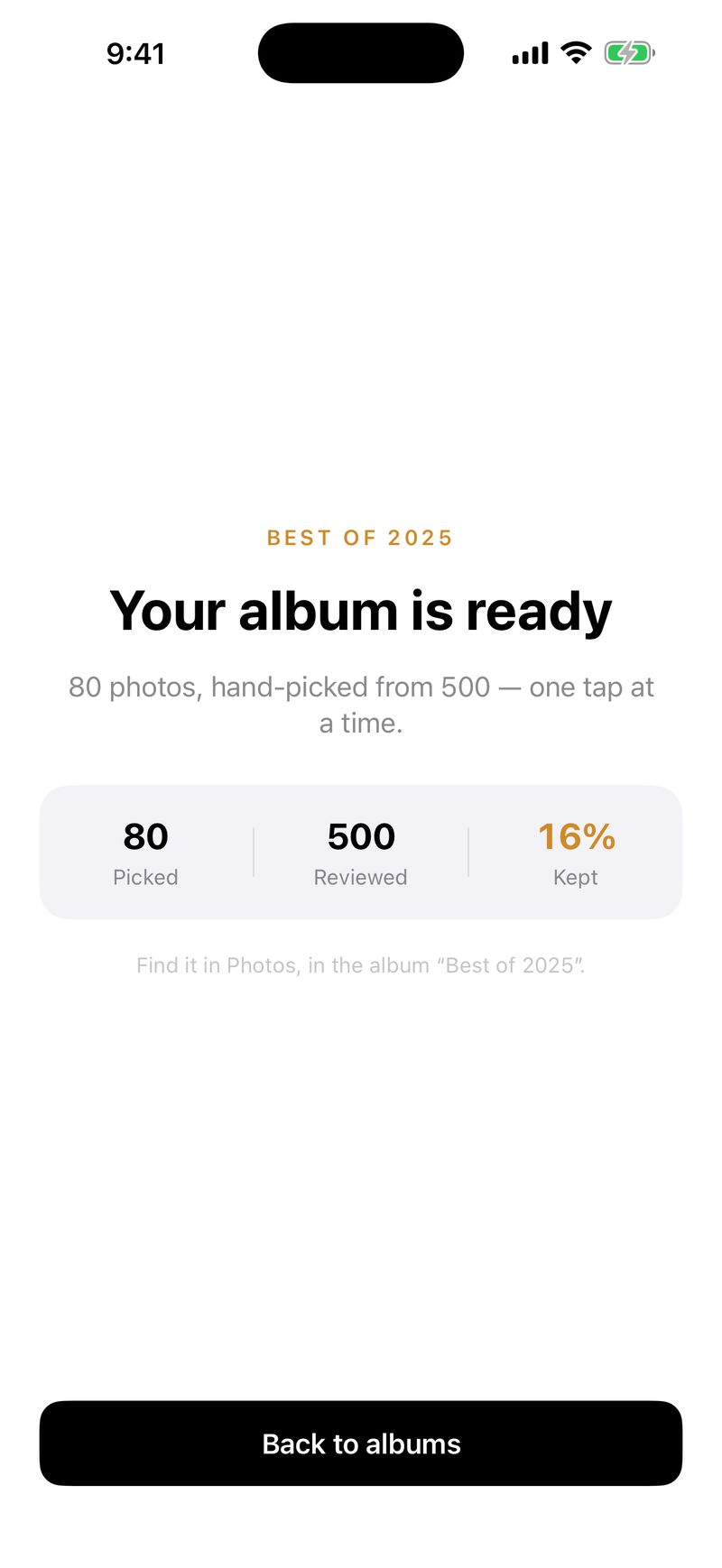
Export to Photos
Poimi creates a real album in Photos from your picks — yours to keep, share, or open anywhere. Refine and re-run any time; it updates the same album instead of making duplicates.
What makes Poimi different
Works with photos and videos — videos are off until you turn them on.
Your library stays on your device.
Poimi reads your library through Apple’s PhotoKit — the same framework the Photos app uses — entirely on your iPhone or iPad. It builds a new album from your picks and never changes or deletes your originals. There’s no account, and your photos are never sent to a server of ours. The one thing that uses the network is turning a photo’s map coordinate into a place name, through Apple’s service.
Read the full Privacy PolicyOpen by design.
Poimi is open source under the AGPL-3.0 license — you can read exactly what it does.
Start on this year’s album.
Free on the App Store, for iPhone and iPad.